


4.34 / 5.0
(245) 245 total reviews
Globluum
YU3 Safe Kids MP3 Player – A Safer Digital Companion for Kids
YU3 Safe Kids MP3 Player – A Safer Digital Companion for Kids
Couldn't load pickup availability
What's included
What's included
Music Player x1
Protective Case x1
Type-C Charging Cable x1
3.5mm Wired Earphones x1
User Manual x1
Buy more, save more
Buy more, save more
• Buy 3–5 pcs: Discount 1% OFF
• Buy 6–8 pcs: Discount 3% OFF
• Buy 9–11 pcs: Discount 5% OFF
• Buy 12–15 pcs: Discount 7% OFF
• Larger qty: contact us globluum@outlook.com
YU3 Safe Kids MP3 Player – A Safer Digital Companion for Kids
Give your child a smarter and safer way to enjoy music, stories, and learning content with the YU3 Kids MP3 Player. Designed for children and families, YU3 combines entertainment, parental controls, and access to popular digital content platforms in a compact, kid-friendly device.
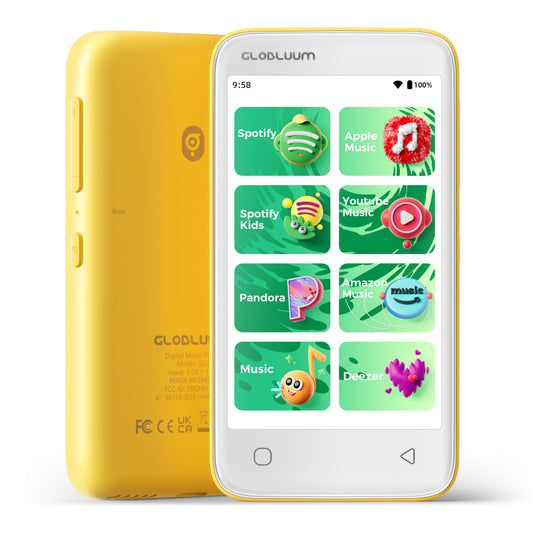
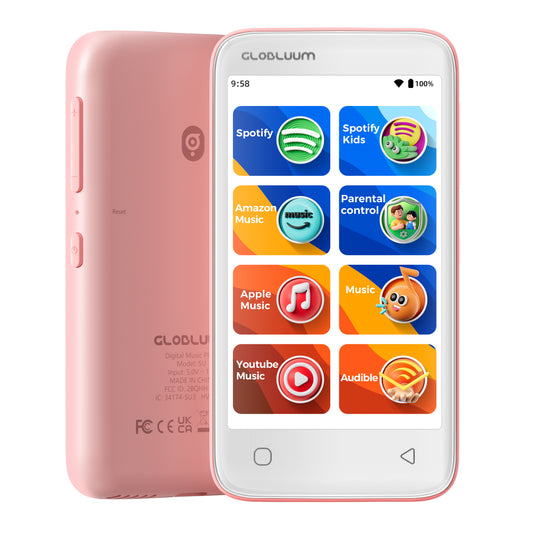
With support for Spotify Kids, Apple Music, Audible, and Kindle, children can enjoy their favorite songs, audiobooks, and educational content while parents maintain control over their digital experience.
Safe Entertainment Without Smartphone Distractions
The YU3 provides kids with a dedicated entertainment device designed to reduce unnecessary screen time and distractions. Instead of using a smartphone, children can enjoy music and stories in a safer and more focused environment.
Whether listening at home, during travel, or before bedtime, YU3 helps create healthier digital habits.
Access Music, Stories & Learning Content
YU3 supports multiple popular content platforms, giving children access to a wide range of entertainment and educational resources:
Spotify Kids – Kid-friendly playlists and favorite songs
Apple Music – Millions of songs and personalized music experiences
Audible – Audiobooks, stories, and educational listening
Kindle – Digital reading content and learning resources
Parental Controls for a Safer Experience
Parents can enjoy greater peace of mind with built-in parental control features designed to help manage children's digital usage.
Key benefits include:
Control access to apps and content
Create a safer digital environment
Reduce dependence on smartphones
Encourage independent listening and learning
More Than a Music Player
YU3 is designed to support children's growth through meaningful digital experiences. It helps encourage:
Music exploration
Imagination through storytelling
Language learning
Independent learning habits
Screen-free entertainment
From favorite songs to bedtime stories, YU3 makes every listening moment more valuable.
Kid-Friendly Design for Everyday Use
Lightweight, portable, and easy to operate, YU3 is built for children's daily adventures.
Perfect for:
Family trips
School breaks
Quiet reading time
Bedtime relaxation
Outdoor activities
Kids can enjoy their own entertainment while parents stay confident about their digital environment.
A Thoughtful Gift for Kids
The YU3 Kids MP3 Player is an ideal gift choice for children who love music, stories, and learning.
Perfect for:
🎁 Birthday gifts
🎁 Christmas gifts
🎁 Travel companions
🎁 Educational rewards
🎁 First personal digital device
Give your child the freedom to explore music and stories in a safer, smarter way.
Product Highlights
✅ Designed for Kids
✅ Built-in Parental Controls
✅ Supports Spotify Kids, Apple Music, Audible & Kindle
✅ Safer Alternative to Smartphones
✅ Music, Audiobooks & Educational Content
✅ Portable Kid-Friendly Design
✅ Perfect Gift for Children
YU3 Kids MP3 Player – Safe Listening, Smart Learning, Happy Childhood.
Share


Designed and Built with Craftsmanship to Create a Music Player.
Crafted with meticulous craftsmanship, our high-quality music player accurately reproduces every subtle detail of music, From deep, resonant bass to crisp, clear highs, every note is rendered with exquisite clarity, offering an unparalleled high-fidelity audio experience.. Let your musical journey feel like being on-site, delighting your ears and touching your heart.

Android 14 with Google Play
Automatic updates and Google account sync make your playlists, favorites, and subscriptions flow seamlessly across phone, tablet, and player.
Through Google Play, you can easily add every app your loves.
And with parental controls, you can gently set boundaries – giving your child access only to what you trust.
Everything in sync. Everything at ease.

Efficient 12nm, Smooth and Detailed
Efficient 12nm – Smooth Performance, Richer Sound
Lower power use and smoother multitasking, plus hardware‑level lossless decoding for FLAC, APE, ALAC, WAV, AIFF, and more – delivering stable playback and beautifully detailed audio.
Hear the truth. Lose yourself in the music.

Dual‑Band Wi-Fi + Bluetooth 5.0
Stable, high‑speed connections for seamless multi‑device experiences.
Pair with your Bluetooth earbuds and get lost in your music during your daily commute.
Connect to a Bluetooth speaker and share favorite tunes with family in the living room.
Link to your car’s Bluetooth audio system and enjoy a lively soundtrack on every road trip.
At home, on the go, or behind the wheel – your sound stays smooth and uninterrupted.

The Music Player for Your Daily Rhythms
Fixed on your fridge, it fills your home with a motivating soundtrack that turns cleaning into a breeze.

The Music Player for Life's Easy Rhythms
Find your pause button. Lean back and let the music float through a peaceful afternoon.

Unlock a Massive 1TB of Music
Expand your space anytime to carry your entire music collection in your pocket.


Common Questions & Answers
How to Transfer Files from Your Computer to Music Players (SU3 / SU5 / SU7 / SU9)
Preparation:
- Ensure your computer is running Windows 7 or later, macOS, or Linux.
- Use a high-quality USB-A to USB-C cable (data sync capable, not just charging).
- Make sure your SU series player (SU3/SU5/SU7/SU9) has sufficient battery level (above 20%) to avoid interruption.
Step-by-Step Guide:
1. Connect the device
Plug the USB-C end into your SU player and the USB-A end into your computer's USB port. For older desktops, use a rear USB port for stable power.
2. Unlock the player and select USB mode
On the player screen, swipe down from the top to open notification panel. Tap the USB notification and select "File Transfer" or "MTP (Media Transfer Protocol)". Do NOT choose "Charging only" or "USB tethering".
3. Verify connection on your computer
- Windows: Open File Explorer → "This PC". Look for a device named "SU3", "SU5", "SU7", or "SU9" under "Portable Devices". If not there, open Device Manager → expand "Portable Devices" or "Universal Serial Bus devices". A yellow exclamation mark indicates missing driver.
- macOS: Install Android File Transfer or OpenMTP first. After connection, launch the app; it should detect your SU player automatically.
- Linux: Most distributions will mount the SU player as an MTP device. Use Nautilus or mtp-detect.
4. If the device is not recognized
- Try a different USB cable (many cables are charge-only).
- Restart both the SU player and your computer.
- Update or reinstall the MTP driver:On Windows, right-click Start → Device Manager → right-click the unknown device → "Update driver" → "Search automatically for drivers".If that fails, download "Universal MTP Driver" from Microsoft or use the manufacturer's driver.
5. Transfer files
Once recognized as a drive or device:
- Double-click the SU device icon to open internal storage or microSD card (if inserted).
- Simply drag and drop music folders (MP3, FLAC, WAV, etc.) onto the desired folder (e.g., "Music").
- Do NOT disconnect while transfer is in progress.
6. Safely eject the device
On Windows, right-click the SU drive in "This PC" and select "Eject". On macOS, drag the mounted volume to Trash (which turns into Eject icon). Then unplug the cable.
Troubleshooting common issues:
- "Device not responding": Reboot both devices and try a different USB port.
- Transfer stops halfway: Check cable stability; avoid USB hubs.
- MTP driver failure: Manually download "MTP Portable Device" driver from Windows Update Catalog.
- On Linux, permission denied: Install mtp-tools and mtpfs, then use jmtpfs to mount.
Pro tip: For very large music libraries (e.g., 1TB), use a microSD card reader instead of USB MTP, as MTP can be slow for thousands of small files. Copy directly to the microSD card via an adapter.
How to Connect Bluetooth Headphones or Speakers to Players (SU3 / SU5 / SU7 / SU9)
Before you start:
- Make sure your Bluetooth headphone/speaker is fully charged and in pairing mode (usually indicated by a blinking LED). Refer to its manual for the specific button press (e.g., hold power button for 5 seconds).
- Keep the SU player and the Bluetooth device within 1 meter of each other during pairing.
- Disable Bluetooth on any other nearby phones or tablets to avoid interference.
Step-by-step pairing:
- Enable Bluetooth on the SU player
Go to Settings → Bluetooth → Toggle Bluetooth ON. The player will automatically scan for available devices. - Put your Bluetooth device into pairing mode
Most devices enter pairing mode by holding the power/multi-function button until the LED flashes red and blue alternately. Consult the device manual if unsure. - Select your device from the list
On the SU player, under "Available devices", you should see the name of your headphone/speaker. Tap on it. A confirmation sound or "Connected" status will appear. - Test the connection
Play a song to verify audio is routed to the Bluetooth device. Adjust volume on both the player and the headphone/speaker.
If your device is not found in the list:
- Step 1: Turn Bluetooth OFF on the SU player, then turn it ON again. This triggers a fresh scan. Wait 10–15 seconds.
- Step 2: Ensure your Bluetooth device is still in pairing mode (some devices exit pairing mode after 2 minutes).
- Step 3: Restart both the SU player and the Bluetooth device (power cycle).
- Step 4: Clear previous pairings on the SU player: go to Bluetooth → Paired devices → tap the gear icon next to any old device → "Forget". Then re-scan.
- Step 5: If still not found, reset Bluetooth settings on the SU player (without factory reset):
Go to Settings → System → Reset options → Reset Wi-Fi, mobile & Bluetooth (this does not erase music files). - Step 6 (last resort): Factory reset the SU player.
Warning: This will erase all settings, paired devices, and possibly internal storage data. Backup first.
Go to Settings → System → Reset → Factory data reset.
Advanced troubleshooting for technical users:
- Codec compatibility: SU series supports SBC, AAC. If your headphones support aptX HD or LDAC, they will fallback to a compatible codec. No additional driver needed.
- Interference: 2.4 GHz Wi-Fi can interfere with Bluetooth. Temporarily switch Wi-Fi to 5 GHz or turn it off during pairing.
- Multiple connections: SU players do not support simultaneous connection to two Bluetooth audio devices. If you need to switch, disconnect the current one first.
- Range issues: After pairing, maximum range is about 10 meters (33 feet) line-of-sight. Walls reduce range.
- Firmware update: If Bluetooth is unstable, check the manufacturer's website for a firmware update for your SU player.
Pro tip: For best audio quality, disable Bluetooth absolute volume (if available in Developer Options) to prevent compression. Also, avoid using Bluetooth while the player is connected via USB to a computer, as that can cause audio glitches.
How to Ensure Successful WiFi Connection on Players (SU3 / SU5 / SU7 / SU9)
Before you start:
- Make sure your SU player's system time and date are correct (incorrect time can cause authentication failures).
- Keep the player within 2–5 meters of your WiFi router during initial setup.
- Know your WiFi password (case-sensitive).
Supported WiFi standards:
- SU series supports dual-band WiFi: 2.4 GHz (802.11 b/g/n) and 5 GHz (802.11 a/n/ac).
- Security modes: WEP, WPA, WPA2 (Personal), WPA3 (if supported by firmware; check your device).
- Both hidden SSID and broadcast SSID are supported.
Step-by-step connection:
- Go to Settings → Network & Internet → WiFi.
- Toggle WiFi ON and wait for the scan to complete (5–10 seconds).
- Select your network from the list. Networks may show frequency bands (2.4G or 5G) if available.
- Enter the password carefully (use "Show password" if needed).
- Tap "Connect". Wait for the status to change to "Connected".
Critical checks for successful connection:
- Not outdoor/public WiFi with captive portal – Public hotspots often require a web login. SU players cannot handle captive portals.
- No MAC address filtering (unless whitelisted) – If your router has MAC filtering enabled, add the SU player's MAC address to the allow list. Find MAC address in Settings → About → Status.
- DHCP enabled – The player must obtain an IP address automatically via DHCP. Static IP is possible via advanced settings (Modify network → Advanced → Static IP).
- Compatible band – 2.4 GHz is recommended for longer range; 5 GHz offers faster speed but shorter range. Make sure your router broadcasts the band you intend to use.
- Channel selection – For 5 GHz, avoid DFS channels (52–144) if your player has poor detection – use non-DFS channels like 36–48 or 149–165.
Troubleshooting when connection fails:
Network not visible?
- Ensure the router's SSID is not hidden (hidden networks are supported, but you must manually add them via "Add network").
- If using 5 GHz, move the player closer to the router (5 GHz has shorter range).
- Reboot the router and the SU player.
"Authentication error" (wrong password)?
- Double-check password case sensitivity.
- Try removing special characters from the password temporarily (some devices have issues with $, &, #).
"Failed to obtain IP address"?
- Log into your router and ensure DHCP server is enabled.
- Increase the DHCP address pool or reduce lease time.
- Reboot both devices.
Connected but no internet?
- Check if the router requires a captive portal login. SU players cannot use such networks.
- Verify that your internet connection is active on other devices.
Connection drops frequently?
- For 2.4 GHz: interference from microwaves, cordless phones, or neighboring routers. Change channel to 1, 6, or 11.
- For 5 GHz: DFS channels can cause drops when radar signals are detected. Switch to non-DFS channels (e.g., 36, 40, 44, 48, 149, 153, 157, 161).
- Update the SU player's firmware.
Advanced tips for technical users:
- Preferred band selection: In Developer Options (enable by tapping Build Number 7 times), you can set "WiFi Frequency Band" to 2.4 GHz only, 5 GHz only, or auto. This helps when both bands share the same SSID.
- Static IP: Modify network → Advanced → Static IP (useful if DHCP is unreliable).
- WiFi power saving: In Developer Options, disable "WiFi power saving" for more stable streaming (slightly higher battery drain).
- Check router logs: Look for "deauth", "association timeout", or "DHCP failure" entries.
Pro tip: If you travel with your SU player, create a mobile hotspot from your phone (5 GHz capable phones will provide 5 GHz hotspot). Test connection there to isolate player issues from router issues.
How to Securely Insert and Use an SD Card in Players (SU3 / SU5 / SU7 / SU9)
Supported SD Card Specifications:
- Type: microSD, microSDHC, microSDXC
- Maximum capacity: Up to 1TB (for all SU series models)
- File system: FAT32 or exFAT (NTFS is not supported). Cards above 32GB are typically pre-formatted as exFAT.
Step-by-Step Insertion:
- Locate the SD card slot on the side or bottom edge of your SU player. There may be a rubber dust cover.
- Hold the microSD card with the gold contacts oriented as shown in the user manual illustration.
- Gently push the card into the slot until you feel slight resistance.
- Push further until you hear a distinct "click" – this means the spring-loaded mechanism has locked the card in place. The card should sit flush with the device edge (not protruding).
- Verify detection: Go to Settings → Storage → Look for "SD card" or "External storage". The total capacity (up to 1TB) should appear.
If You Don't Hear a Click:
- The card may not be pushed deep enough. Use a fingernail or a small non-metallic tool (e.g., a wooden toothpick, plastic spudger, or the edge of a credit card) to press the card slightly further.
- Avoid using sharp metal objects like needles, as they can damage the slot pins.
- If the card still won't click, remove it and check for debris inside the slot. Use compressed air gently if needed.
How to Safely Remove the SD Card:
- Unmount the card first to prevent data corruption:
Go to Settings → Storage → Tap "Unmount SD card" or "Eject". Wait for confirmation. - Push the card inward until you hear a "click" – the card will pop out partially.
- Pull the card out gently with your fingers.
Common Troubleshooting (No Table):
- Card not detected
Re-insert the card and ensure you hear the click. Restart the player. Test the card on a computer to confirm it works. - "Card corrupted" error
Insert the card into a computer, back up your data, then format it as FAT32 or exFAT. - Card detected but files do not appear
Ensure music files are in supported formats (MP3, FLAC, WAV, AAC, OGG, etc.). Avoid special characters in file names. - Playback stutters or skips
The card may be too slow. Use a UHS-I Class 10 or A1 rated card for smooth playback of high-bitrate files. - Card sticks out after insertion
It is not fully seated. Push again until flush with the edge. If it still sticks, the slot may be damaged.
Pro Tip: Before using a new SD card, format it on a computer as exFAT with the default allocation unit size. Then create a folder named "Music" at the root. This helps ensure optimal compatibility and faster file access.
More Favorites Await
-
SU3 Safe Kids MP3 Player with Parental Controls. Supports Spotify Kids, Apple Music, Audible, Kindle. Great Gift for Kids.
4.65 / 5.0
(227) 227 total reviews
Regular price $79.99 USDRegular price -
SU5 Digital Music Player for Kids, 4" Full Touch Screen MP4 with Spotify, Spotify Kids, Google Play, Audible and Speaker.
4.7 / 5.0
(259) 259 total reviews
Regular price $69.99 USDRegular price -
SU9 Android Streaming Music Player with Bluetooth & WiFi, 4" Touchscreen MP3/MP4 Player
4.77 / 5.0
(240) 240 total reviews
Regular price $89.99 USDRegular price -
SU7 Digital Audio player with Bluetooth & Wi-Fi, mp3 Music player with Spotify, Pandora, Tidal, Deezer, Audible, Kindle and Speaker.
4.73 / 5.0
(376) 376 total reviews
Regular price $79.99 USDRegular price




- 5 stars: 134 (55%)
- 4 stars: 78 (32%)
- 3 stars: 21 (9%)
- 2 stars: 6 (2%)
- 1 star: 6 (2%)
Great little device that isn't just for kids as you can disable parental controls! It feels fast and snappy for the price point and the touchscreen is pretty responsive... Be aware that the storage shows up as separate drives, which is a bit different but still works... I use this when I don't want to kill my phone battery but still play music on my Bluetooth speaker... I downloaded my playlists for offline use so that eliminated the need for full time wifi, connected this into my portable speaker, and now the music stays put while my phone stays with me and isn't gobbling battery or breaking up if I step too far away from the speaker... It’s a much more convenient way to handle music for me...
My 5-star review is based on my using this solely as a simple - and easy to use - MP3 player for my music in the car and to listen to audiobooks that I've transferred to its storage and also connect to online. It is working great with my Ford Explorer's system also. The large storage capacity means that it can hold a ton of my music and audiobooks, and I'm able to charge it as I'm listening to it too. I consider the sound quality to be decent, though not great, but for me the audiobook quality is better than fine and the music quality is good enough that I'm happy with it and have recommended this player to a couple of friends as something they can use and can share with their kids safely too.
Very nice mp3 player. Easy to use, excellent sound quality. Works amazing and great price. Easy for kids to use. Excellent battery life and charges quick.
I ordered this for my 7-year-old and it’s been in regular use for a few months now. It’s been a really good alternative to a smartphone for kids, especially for music, stories, and simple entertainment.It’s been particularly useful for travel, long car trips, and waiting around at appointments, as it keeps her occupied without needing to use my phone. The preloaded apps and parental controls are a big plus and make it more suitable for kids.The size is great for little hands, and the protective case works well — it’s already been dropped a few times and has held up without any issues.The battery life has been solid, and I like that it uses a USB-C charger, which makes it easy since we already have plenty at home. It also comes with good storage for music and videos, which is practical for everyday use.In terms of performance, it can be a bit slow and slightly laggy at times, especially when switching between apps, but it’s still usable and doesn’t take away too much from the overall experience.Overall, this is a practical and kid-friendly device that works well for music, stories, and travel — just with some minor performance limitations.⸻Pros:• Good alternative to a smartphone for kids• Preloaded apps and parental controls• Great for travel, car trips, and waiting times• Durable with protective case• Compact and easy for kids to use• USB-C charging• Good storage for music and videosCons:• Can be slow and lag at times
The closed Android setup is a big plus point for this MP3 player. Never knew something like this existed so that we do not need to worry about any security issues which accessing internet with the browser within the MP3 player. Having said that the battery performance is pretty poor in this device. Otherwise a good enough item for kids to use to listen to music while on the go rather than using a normal mobile device. The connection via Bluetooth was good enough as well.
I picked this up as a gift to give the kids access to music and audiobooks without handing over a fully unlocked smartphone.Functionally, it is great. Because it runs on Android, it handles apps like Spotify Kids and Audible really well, and the parental controls make it easy to lock down so they stay focused on listening rather than playing games.However, I do think the storage is a bit of a letdown. 80GB is a much lower amount than you would expect these days. If you are just streaming, it is fine, but if you want to download high-quality audiobooks or a large library of music for a road trip, you might find yourself managing space more often than you'd like.It does what you need it to do, but a bit more memory (maybe 128GB?) would have made it that little bit better.
What a fantastic idea to introduce music technology to your children without the use of an iPhone or a large mp3 player that connects to other apps. It is absolutly kid friendly, and easy for them to navigate and set up. It has a touch screen, it wi fi or blutooth connects so you can load onto it your favourite tunes and audiobooks, and has a parental control section so we can always make sure our kids' browsing is safe and age-appropriate, which I appreciate. It has a surprising amount of storage for what I would consider a kids' toy, my music-loving daughter has yet to scratch the surface on the high 80 GB storage, which means she will get so many hours of use out of the device. She can pop her headphones in and just dance and sing to her heart's content, and let me tell you, she hasn't stopped yet! She is a bit rough on her technology, and I have seen it dropped multiple times, and it has yet to show any damage whatsoever; it is very durable. My only downside, as we found out, is once you are out of wifi range, it no longer streams, so you do need to prep for drives or a hotspot. Not a huge drama, but worth noting. I was able to p;ut timers on so i could limit her exposure, and lift the restriction too to allow more when I needed some time to get a task done. While you can technically take a photo on it, dont expect adult phone quality snaps, but the fun is still there and she loves it. Fantasic product.
Awesome music player! It is a good alternative to giving my son a phone to listen to music. Youtube can be installed, so i still had to be careful with his access. It has amazon music on board and youtube music which I have access to both, so thats great. The screen is clear and responsive. Nice little player and comes with its own protective case too.
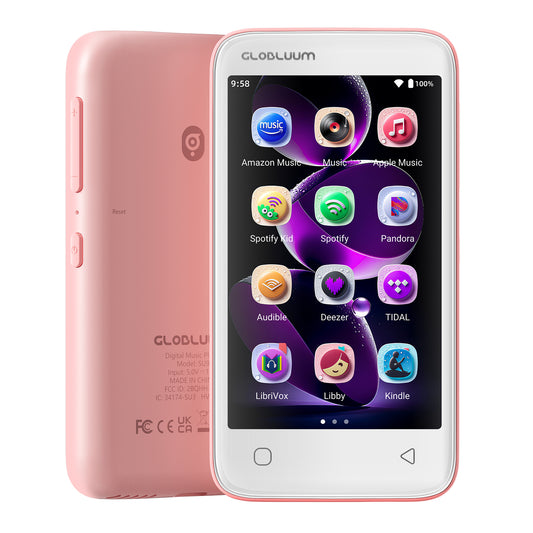
Since the picture looked like a smartphone, I assumed it was related, but it is not and clearly states that it is an MP3 player. Once you accept that, it is actually pretty good for what it is, though you will have to create accounts/subscribe to get the full benefits of all the apps it shows. So, get ready to create accounts for Spotify Kids, Amazon Music, and Apple Music, Audible Kids, Libby, LibriVox, Kindle, etc. While it is great that it has a sleep timer, I am not planning to let my kids fall asleep with headphones on - Safety risk. It does connect to bluetooth speakers though, so that is a good option. The radio app works very well, so I would get it for that alone. It seems to be child friendly in that it is sturdy and can take a few bumps without too much damage, but I would not throw it of course. The battery seems to hold a charge for quite a bit though I have not tested it out to see when it will die. I like that it is lightweight and just the right size for small hands. It also comes with plenty of storage and a removable SD card. The price is good too.
This little 80GB machine ended up in my bag on a whim, simply because I craved distance from endless scrolling. Now, during runs, workouts, even quiet walks, I use it for music, sometimes audiobooks too. Feel great to be able to workout without constant pings and pop-ups pulling at attention, I can focus on myself so much more easily. Freedom isn’t always loud; sometimes it fits in your pocket.Touchscreen reacts fast, plus the layout flows well when moving between apps. Playing downloaded Spotify tracks works just right, while audiobooks load quickly too. Battery holds up strong, even after long stretches of use, never once needing a plug-in midday. Typically I can get through at least two workout sessions before needing to charge it. While yes, this device is marketed to children, but as someone older, I couldn't help but notice how easy it is to hold such a small device, especially one-handed, it feels so natural, and kind of makes me wish they made smaller phones for everyday use.A little thing though - the display is on the compact side, making videos look somewhat tiny. Still, it works just fine for kids watching shows or me watching a clip during cool-off sessions.Truth is, it’s won me over completely. Quiet instead of loud, focused rather than stretched thin - its strength lies in just playing media without pulling attention away. Doing that one job so smoothly means I’ve reclaimed a bit of space for myself, finally acting on real intentions instead of drowning under endless pings and demands inside the phone. That shift? Hard to put into words, yet deeply felt. If you happen to be searching for a device that fits that purpose, this is what I’d point you toward.
This Christmas, I gifted an 80GB MP3/MP4 player to my 8-year-old nephew, and it turned out to be the perfect present. His mum was especially relieved as it felt much safer than handing over something like an iPhone or iPad, which can make more dangerous forms of social media and other apps just a few taps away. The parental controls on this device really stood out, giving her peace of mind and letting her manage what he could access and how much screen time he had. It was reassuring to know he could enjoy music and audiobooks in a safe, kid-friendly environment.The 4-inch touchscreen is super easy for him to use, and the WiFi and Bluetooth make connecting headphones or speakers a breeze. The bright yellow color is fun and cheerful, and the size fits perfectly in his small hands.Overall, I’m so glad I chose this media player. It’s well-designed, safe, and practical for kids, making it a fantastic gift for travel, learning, or just quiet time at home. I’d highly recommend it to anyone looking for a safer alternative to mainstream devices for children.
We got this for our friend's child and it has been such a great little device. It keeps everything kid friendly with music, stories, and learning content without the distraction of random apps. The parental controls give peace of mind, and the sleep stories are especially helpful at bedtime. Battery life is solid and it is lightweight enough for small hands to carry around easily.
Got this for my kiddo and he loves it
Incredibly transparent and swift communication from the sellers. They were open ears to any criticism or concerns I’ve had over the time of me having their devices, and kept in contact throughout. The devices themselves aren’t anything crazy, and they don’t try to hide it! It’s a simple, cheap, and easy-to-replace device. A+ from my experience.
got this for my little boy for his birthday and he loves to take it everywhere with him. He is homeschooled and we have found so many useful benefits from having this aside from all the fun he has with it. He can listen to his favorite songs and to books he enjoys hearing not only at home but also when we are traveling. And I don't have to worry because I can set the controls so I know he is not exposed to things he shouldn't be. It has nice clarity in the sound and a really good screen quality and all this at a great price.
This MP3 player works great for my sister's kid. It has plenty of storage, supports Spotify and Audible, and the parental controls are easy to use. Bluetooth and WiFi both work fine, and the touchscreen is decent for the price. Battery life could be better when streaming, but overall it’s a reliable, kid-safe music and audiobook player.
Really impressed with this MP3 player. It has everything a kid needs without giving full access to a phone — the parental controls are easy to set up, and it supports Spotify Kids, Audible, Amazon Music, and more. The touchscreen works well, Wi-Fi and Bluetooth connect easily, and the 80GB of storage is plenty for audiobooks and music.The interface is simple and kid-friendly, and overall it feels like a safe, well-built device. Great option for parents who want something functional without going straight to a smartphone.
This is an excellent MP3 player for kids that strikes the perfect balance: it lets them stream music from popular apps while giving parents full control over what they can access. Love that it includes a protective case, ear buds, and a pre applied matte screen protector!It's not fast, and I sometimes have issues with it locking up while updating apps. I definitely wouldn't recommend this for an adult.Battery life is fantastic and easily lasts a full day or more with heavy use. My kids love it and I I finally get my phone back to myself! There’s plenty of storage. Highly recommend for any parent looking for a safe, kid-friendly music solution!
We enjoy this for our child to play guided meditations on YouTube for bedtime.There are multiple different functions and children apps *photos included to show all apps that come included on the device* (including YouTube music, audible, Apple Music, kindle, Libby and Spotify)It’s a good size and the battery lasts surprisingly long. We use it every single night for guided meditations and I only have to charge it once a week.Got in yellow but all the colours look fun!The case that comes with it is nice when you’re using the device but we have to remove the case in order to charge properly. With the case on, the device won’t charge.
We have been looking for a device for the kids to play music on without any games and this music player is the perfect solution! After trying a few options that were either too complicated or too focused on entertainment, this one hits the sweet spot for safety, simplicity and features.I love that it supports Spotify Kids, Audible and Amazon Music. My kids can listen to their playlists, bedtime stories and educational audiobooks all on one device. It’s basically a mini media center made just for them.The 4" touchscreen is bright and easy for little hands to navigate and the WiFi + Bluetooth connectivity makes syncing content super simple. The 80GB of storage is more than enough for tons of songs and audiobooks, with room to grow.If you want a safe, well-designed music and audiobook player for kids, this is a fantastic choice.
This MP4 player is a good basic device for kids. It feels very much like a normal smartphone but with proper parental controls, which makes it safe and easy to manage. The touchscreen is fairly responsive, and setup is simple. We used it to play stories for my little girl, and she enjoyed it a lot. Overall, it's a handy, child-friendly media player that’s very good for audiobooks, music, and kids’ apps.
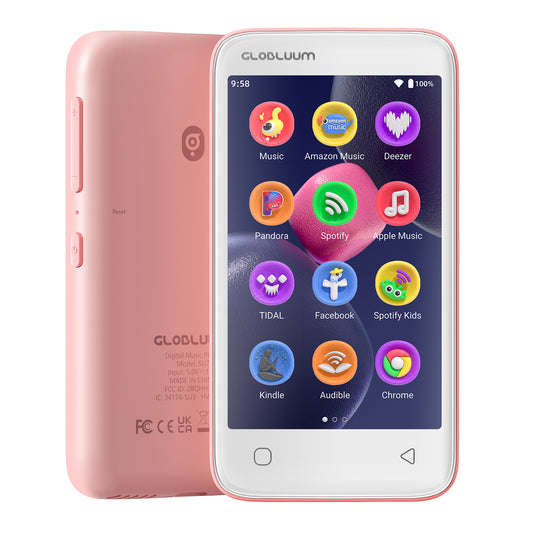
I bought this MP3 player for my nephew, who’s still too young for a phone but wanted something to listen to music on during the school bus ride. Right out of the box, the presentation is impressive, the packaging feels similar to what you’d expect from an Apple product. It comes with everything you need to get started: a clear silicone protective case, a charging cable, and even a pair of wired earbuds. The included case is a great touch and helps prevent scratches on the back and sides, making the device much more kid-friendly.Setup is simple and streamlined. Since the player comes preloaded with Spotify Kids, Spotify, Amazon Music, Apple Music, YouTube Music, and several story apps, you can sign in and go, no need to download anything. The closed Android 14 system with parental controls is perfect for ensuring safe listening while keeping kids away from browsers or extra apps. The touchscreen is large and easy for small hands to navigate, and the lightweight design makes it comfortable for kids to carry around. It also includes 80GB of total storage, which is more than enough for playlists, downloaded songs, and audiobooks.Battery life has been solid so far, and Bluetooth connectivity is fast and reliable whether paired with earbuds, a speaker, or the car audio system. My only minor complaint is the lack of color options, yellow was the only choice available when I ordered, but considering how few kid-safe audio devices like this exist, it’s still an excellent option. Overall, this is a thoughtfully designed, kid-safe music player that fills a real gap in the market for parents who want to give their kids music without giving them full internet access.
This MP3 player is feature-packed, safe, and perfect for kids. The 4" touchscreen is responsive, and parental controls give peace of mind. It supports Spotify Kids, Audible, LibriVox, Amazon Music, and Kindle, making it versatile for music and audiobooks. WiFi and Bluetooth connectivity work well, and the 80GB storage holds plenty of content. A fun, educational, and secure gadget for kids.