How Can Children Listen to Hoopla Without a Phone?
Yes, children can listen to library audiobooks on Hoopla and Libby without a smartphone. Besides using a parent's phone, they can also listen through a computer, TV, tablet, or an Android music player with Google Play support. Among these, an Android music player that supports Wi-Fi downloads, offline playback, and parental controls is a better fit for families who want children to listen independently and safely.
What Is Hoopla, and Why Are More Families Using It?
Hoopla is a digital lending platform provided by public libraries across North America.
With a valid library card from a participating library, you can borrow:
- Audiobooks
- eBooks
- Comics
- Music
- Movies and TV shows
For parents, it has several clear advantages: ✅ Free to use—no subscription required ✅ Most titles are available immediately—no waiting lists ✅ A large selection of children's audiobooks
Many families also use Libby alongside Hoopla. Because their collections aren't identical. Sometimes a popular children's audiobook has a waitlist on Libby but is available right away on Hoopla—and vice versa. Having both apps installed makes it easier to find what you're looking for.
Why Are More Parents Choosing Not to Let Their Kids Listen to Audiobooks on a Phone?
Picture a weekend afternoon. It's raining outside, and your child sits quietly by the window with headphones on, listening to Harry Potter or Magic Tree House—instead of endlessly scrolling through short videos. That's the ideal scene for many parents.

But reality often looks different. Many families already know that public libraries offer free audiobooks, and that Hoopla and Libby have a wealth of children's content. Yet when they actually get started, they run into the same problem: The child needs a phone.
And new worries follow:
- Will they open YouTube?
- Will they start playing games?
- Will they keep browsing other apps?
- Does listening to audiobooks really require giving a child a smartphone?
What many parents truly need isn't another phone. They need a device that lets their child focus on stories—without too many distractions.
How Can Children Listen to Hoopla Without a Phone?
There are four common ways to do this.
Option 1: Use a Parent's Phone or Tablet
This is how most families start. A parent opens Hoopla, picks a story, and hands the device to the child.
Pros
- No new device to buy
- Simplest setup
- Very convenient for occasional listening
Cons But if the child wants to listen every day, problems quickly emerge. The phone is something the parent needs throughout the day. While the child is listening, the parent can't take calls, reply to messages, or grab the phone when needed. Also, even with parental controls turned on, the phone's games, videos, and notifications can easily pull the child's attention away.
Best for: Occasional use, with a parent nearby.
Option 2: Computer or TV
A computer browser can access Hoopla directly. Many smart TVs also support the Hoopla app. This works well for family storytime together.
Pros
- No extra device needed
- Large screen, easy to navigate
- Great listening experience in the living room
Cons
- Limited to home use only.
- The web version does not support offline downloads.
- Can't be used while traveling, on a plane, or during a road trip.
Best for: Fixed home use.
Option 3: Tablet
Both iPads and Android tablets can install Hoopla. The biggest advantage is offline download support. Once you download content over Wi-Fi, it plays normally even without internet.
Pros
- Supports offline playback
- Large screen
- Simple to operate
Cons For a child, it's still a full-featured smart device with a big screen. Games, video sites, and browsers are all there. Also, it's much bulkier than a dedicated player and not very portable.
Best for: Occasional outings.
Option 4: Children's Android Music Player (Better for Independent Listening)
If your goal is: Not giving your child a phone, but still letting them listen independently. Then a children's Android music player is often a better fit.
It runs a full Android system, so it can install apps—but it removes most of the distractions found on smartphones.
Compared to a traditional MP3 player, it can:
- Connect to Wi-Fi
- Install Hoopla and Libby
- Support Google Play
- Download audiobooks for offline playback
- Connect to Bluetooth headphones
- Keep playing with the screen off
Compared to a smartphone, it has far fewer unrelated apps. Many children's models also offer:
- Parental controls
- App management
- Usage time limits
- Password protection
When a child opens this device, it's easier for them to focus on the story, not on other apps.
Why Can't a Regular MP3 Player Use Hoopla?
This is a common question from parents. The answer is simple: Because Hoopla isn't an MP3 file. All Hoopla content is protected by DRM (digital rights management).
Traditional MP3 players: ❌ Can't install the Hoopla app ❌ Can't log in to a library account ❌ Can't play DRM-protected content
So, a device that works with Hoopla must meet two basic requirements:
- Run a full Android system
- Be able to install the official Hoopla app
What Scenarios Are Best for a Children's Android Music Player?
Many parents truly appreciate its value not at home, but while traveling.
✈️ On a plane. Stories downloaded in advance can keep a child quietly occupied for hours, without staring at a screen.

🌧️ On a rainy day. The child sits by the window listening to a story, not watching videos.
🚗 On a long road trip. Audiobooks downloaded ahead of time play all the way, even without cellular signal.
😴 Before bed. The child puts on headphones, listens for 20 minutes, and drifts off more easily than if they were holding a phone.
These are real-life scenarios that many families encounter every day.
How to Choose the Right Hoopla Device for Your Child?
If you're planning to buy a dedicated Hoopla device, here are the key things to look for:
- Full Android system
- Google Play support
- Can install Hoopla and Libby
- WiFi connectivity
- Offline download capability
- Bluetooth headphone support
- Parental controls
- Long enough battery life
These matter more than storage capacity alone.
Recommended Device
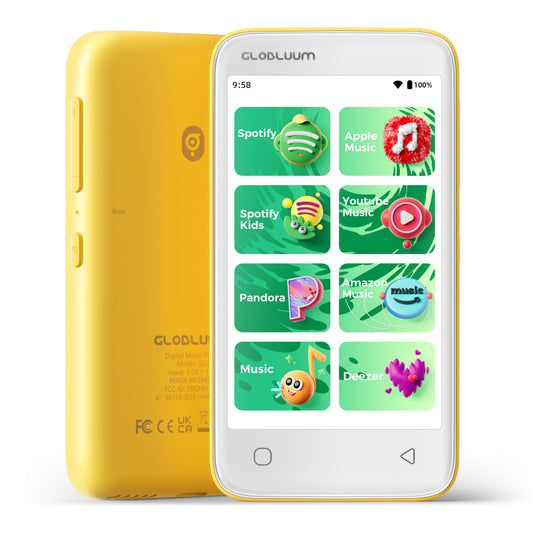
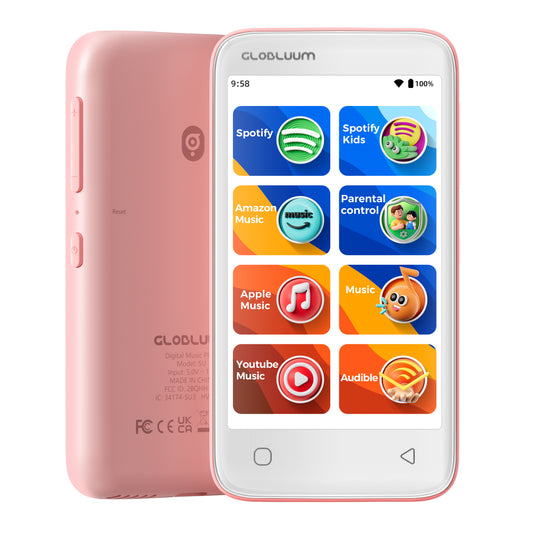
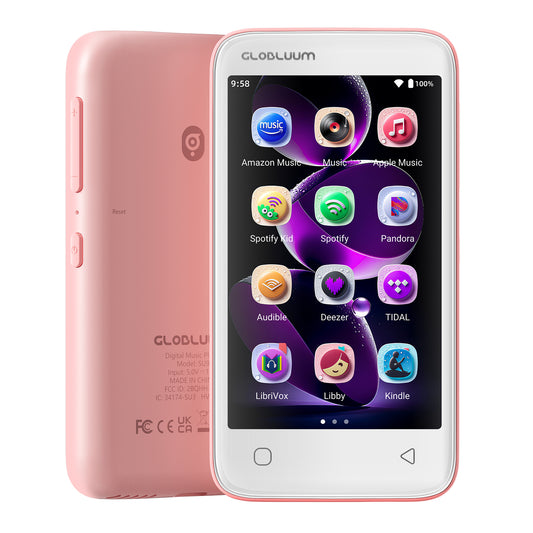
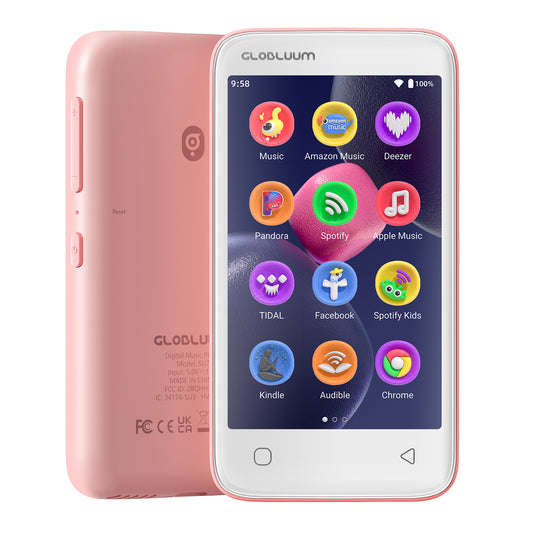
If you're looking for a children's music player that supports Hoopla, Libby, and Google Play, and also offers parental controls, you may want to consider Globluum.
It supports:
- WiFi downloads for Hoopla and Libby audiobooks
- Google Play for installing official apps
- Offline playback
- Bluetooth headphone connection
- Parental management features
- A listening experience better suited for independent use by children
For families who want to reduce smartphone distractions and build a reading habit, it's a choice worth considering.
Frequently Asked Questions
1.Can Libby and Hoopla be used together?
Yes. The two platforms have different collections, so many families install both to access a wider range of titles.
2.Do all MP3 players support Hoopla?
No. Traditional MP3 players can't install the official Hoopla app, so they can't play DRM-protected library audiobooks.
3.Can Hoopla be listened to offline?
Yes. Once downloaded over WiFi, content will play offline until the borrowing period ends.
4.Do children's music players support Bluetooth headphones?
Most Android music players support Bluetooth headphones or speakers, making them great for travel, commuting, or bedtime listening.
Summary
For many families, the real question isn't "Can my child listen to Hoopla?" It's: "How can my child listen to Hoopla without being given a smartphone?"
If it's only an occasional listen, a parent's phone is enough. If most listening happens at home, a computer or TV can work, too. But if you want a device that your child can use independently, supports offline playback, reduces distractions, and provides safety management—then a children's Android music player with Hoopla and Libby support is a more worry-free long-term solution.
After all, what really matters about a device isn't how many features it has—but whether it helps your child give their full attention to the story, rather than to endless notifications and entertainment apps.